


Page 9 - Paycor Connect User Guide
P. 9
ORDER MANAGER - REQUISITIONS
All products ordered by a General User are Requisition only. Once the Admin approves the order that Admin is considered the purchaser of the item. The Admin can now search orders. A General User will not see results of Search Order since they are only the Requisitioner. A General User must search Requisitions to view what they ordered.
GENERAL USERS
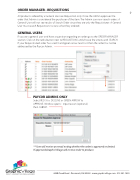
If you are a general user and have a question regarding an order go to the ORDER MANAGER section. Click on the radio button next to REQUISITIONS and choose the criteria and SEARCH. If your Requisitioned order has a red X and green arrow next to it then the order has not be addressed by the Paycor Admin.
PAYCOR ADMINS ONLY
Select RED X to DECLINE or GREEN ARROW to APPROVE. Window opens - input reason (optional) then SUBMIT.
** User will receive an email noting whether the order is approved or denied. If approved Graphic Village will receive order to produce.
9
                               4440 Creek Road . Cincinnati, OH 45242 . www.graphicvillage.com . 513.241.1865


