


Page 10 - Paycor Connect User Guide
P. 10
ADMIN ONLY - ORDER MANAGER / ORDERS
10
 Because all items are Requisition only once the Admin approves the order that Admin is considered the purchaser of the item. The Admin can now search orders - a General User is not able to see results of Search Order since they are only the Requisitioner.
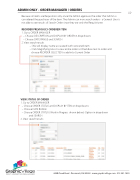
REORDER PREVIOUSLY ORDERED ITEM
1. Go to ORDER MANAGER
– Choose DESCRIPTION and DISPLAY BY ORDER in drop downs – Choose DATE RANGE and SEARCH
2. View search results
– SKU will display name associated with versioned item
– Click Magnifying Glass to view entire order or Checkbox next to order and
choose REORDER SELECTED to add into Current Order
VIEW STATUS OF ORDER
1. Go to ORDER MANAGER
– Choose ORDER STATUS and DISPLAY BY ITEM in drop downs
– Choose DATE RANGE
– Choose ORDER STATUS (Work in Progress shown below) Option in drop down
and SEARCH 2. View search results
                       4440 Creek Road . Cincinnati, OH 45242 . www.graphicvillage.com . 513.241.1865


